![kyocera-logo-1.svg]](https://kyoceradocumentsolutions.com.au/hubfs/jan%202021/kyocera-logo-1.svg)
(Skip to the Command Centre if you already have a folder setup and shared)
-
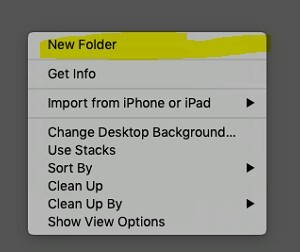
1. Create a new folder by right-clicking in the area you want a new folder and clicking “New Folder”
-
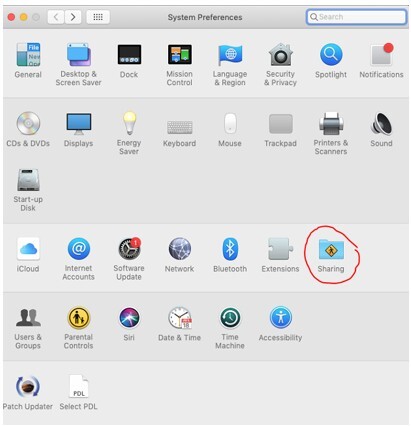
Open up System Preferences and go to Sharing
-
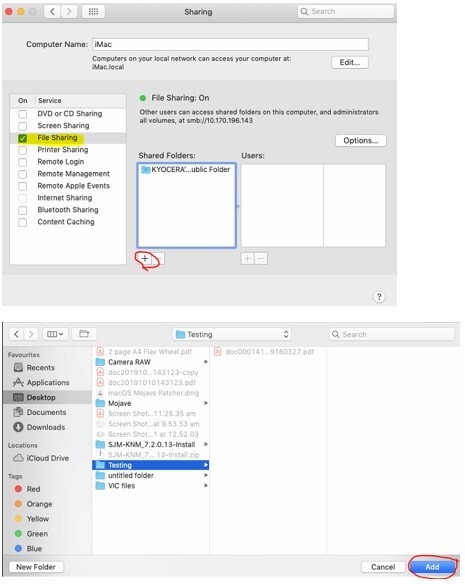
Turn on File Sharing and add the folder to the Shared Folders list.
-
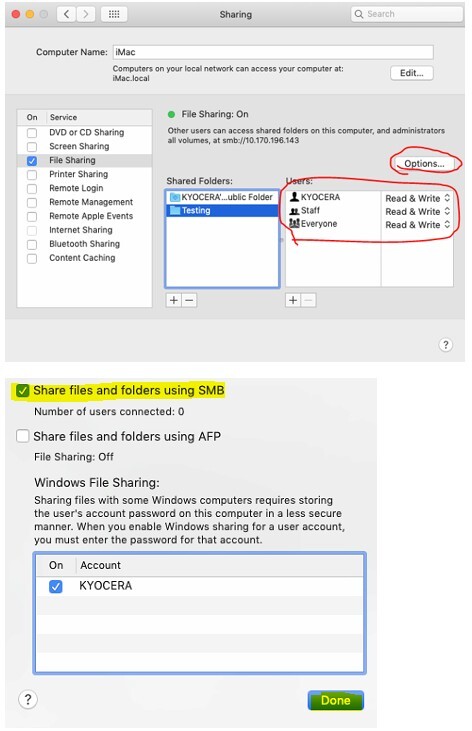
Ensure that your user has been added to the list and has Read & Write access, then select Options and ensure Share Files and Folders using SMB is turned on.
-
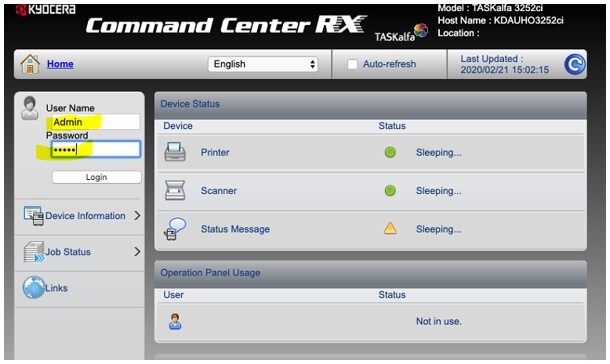
Access the Command Centre of your device by typing in the IP Address of the machine into the address bar on a web browser. You can find the IP Address of the machine by printing a Status Page from the machine (System Menu à Reports à Report Print à Status Page)
Login using the default credentials (username: Admin, password: Admin)
-
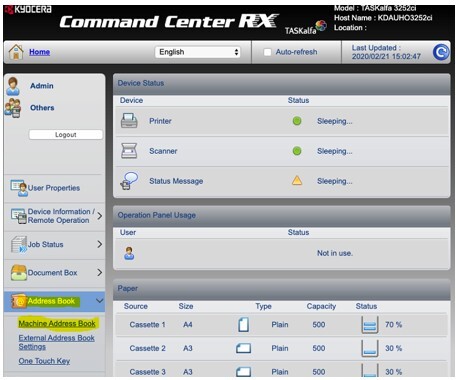
Select Address Book à Machine Address Book.
-
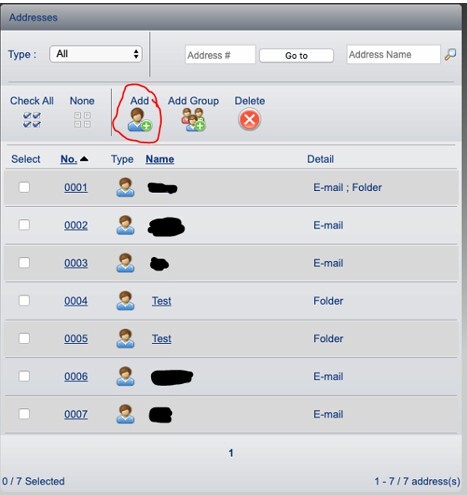
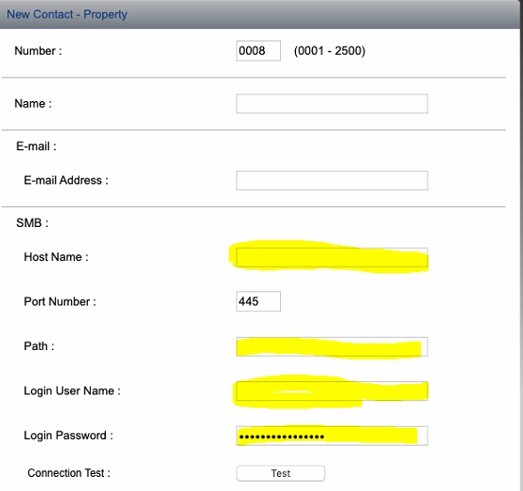
Press Add and setup the details below.
-
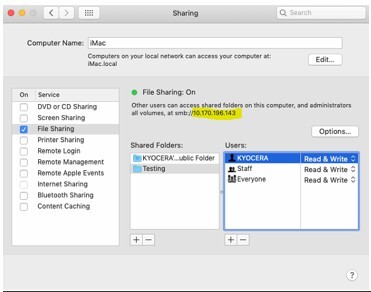
Under SMB, provide a name for the host (Mac) sharing the folder (found in the highlighted area below), SMB port number, path to folder (shared folder name), and username and password for the user account.
a.
b.
-
Once the settings have been entered press Test.
If successful scroll down and press submit, otherwise double check the settings.
Further assistance
If you require further assistance, please feel free to contact us directly via:
- Chat: the chat in the bottom right corner of our website. ↘️
- Phone: to speak to a member of the Kyocera support team, call our helpline on:
- Australia: 135 962 and choose option 3
- New Zealand: 0800 459 623
Phone Support hours are Monday to Friday 9am to 5pm local time across Australia and New Zealand (excl public holidays).
Chat Support hours are 9am to 5pm AEST/AEDT.